Client Communication 101
This is a scenario-based eLearning concept project designed to help cosmetologists communicate effectively with their clients. Throughout the course, the learner engages in a series of real-life, low-risk scenarios, ultimately learning what actions lead to positive client reviews.
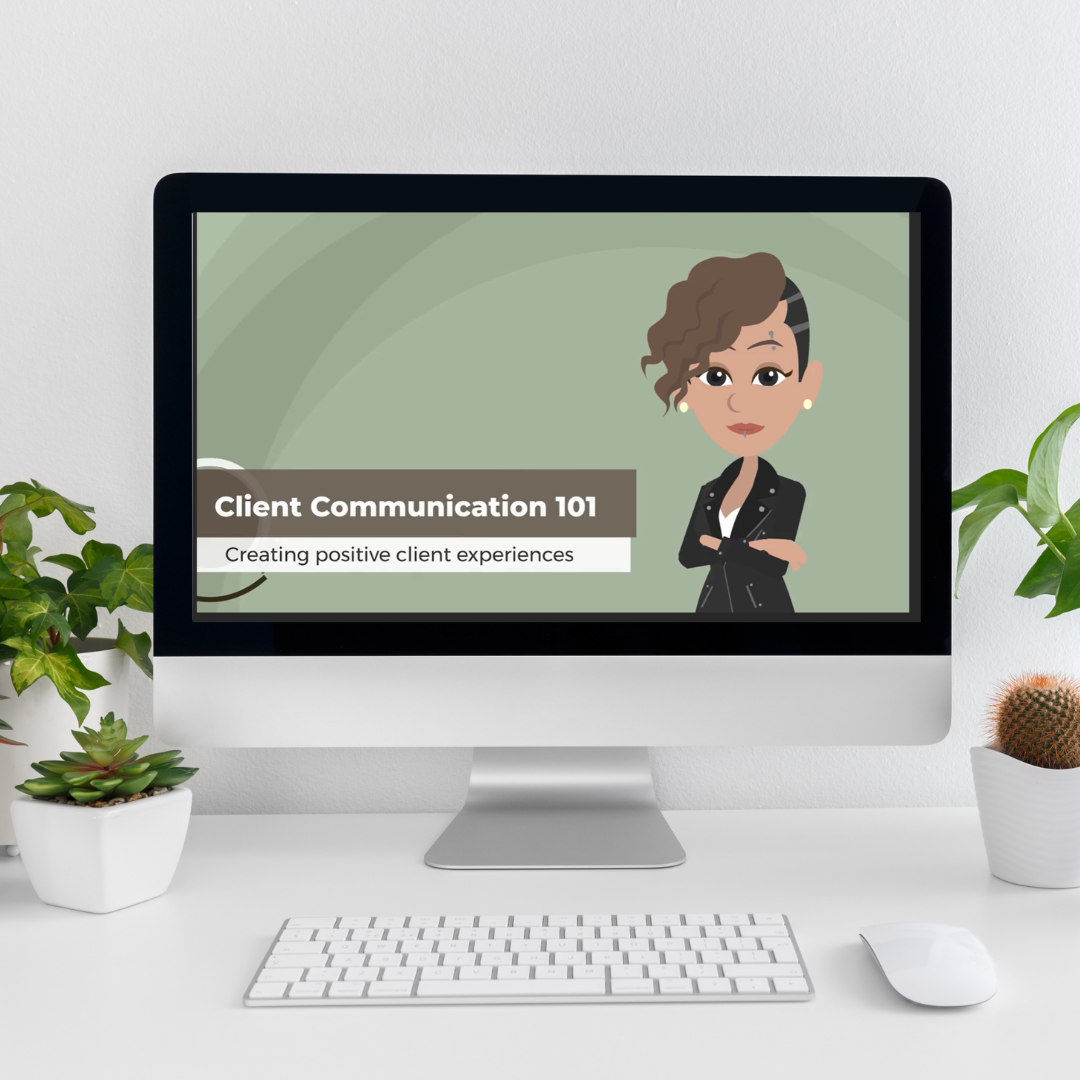
The Problem
Le Petit Salon is a small, independently owned salon in a suburb of a large metropolitan area,. Management has recently discovered a pattern of negative client reviews indicating that clients feel that their results did not live up to the expectations communicated to their stylists. In an effort to reduce misunderstandings and raise customer review ratings, management reached out for assistance.
The Solution
Based on a preliminary analysis, it appeared that the salon currently does not have standard procedures regarding initial consultations with clients. The early-career cosmetologists at Le Petit Salon were notably less comfortable with and less successful in consultations. Many of those surveyed indicated that they have received little or no guidance or feedback on these interactions beyond cosmetology school. To solve the performance problem, I proposed an immersive scenario-based eLearning experience to help stylists practice client communicate in a low-stakes setting. This solution will allow stylists to receive instant feedback whenever and wherever they can access the module.
My Process
Before starting full development, I created an action map and storyboard, designed visual mockups, and built out an interactive prototype. This allowed me to iterate on each step of the process until I was confident with the look, feel, and content of the learning experience. Dive deeper into each step of the process below.
Action Map
Guided by Cathy Moore’s strategic action mapping process, I interviewed a subject matter expert (SME) to begin the backwards design process.
First, I proposed a measurable performance goal. After creating the business goal, I worked with the SME to brainstorm the observable tasks and behaviors which learners would need to demonstrate in order to meet the performance goal. I then categorized these tasks and behaviors into actions and sub-actions.
After carefully evaluating each action, I selected the highest-priority actions that would contribute the most to the business goal. These became the focus of the learning content. These actions can be seen branching out from the sales goal in the action map below.
Action mapping allows me to ensure that I am meeting my client’s needs while keeping the learning content relevant to the end goals of the learner. Setting a measurable performance goal not only aids in backwards design, but helps keep stakeholders focused on business performance rather than “information” the learners should know.
Text-Based Storyboard
Once I identified the high-priority observable tasks and behaviors through action-mapping, I drafted and iterated on a text-based storyboard to serve as a blueprint for the final product.
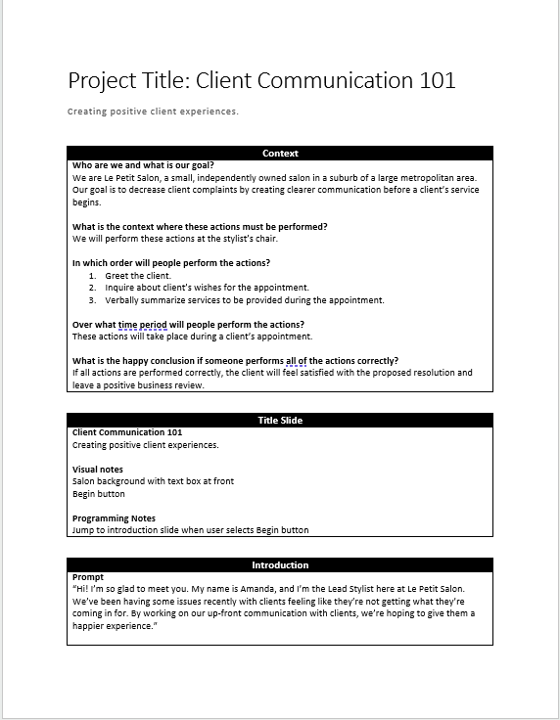
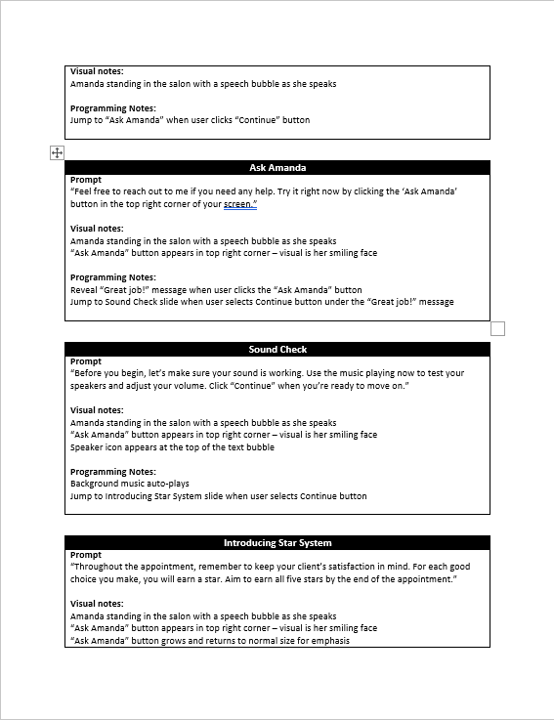
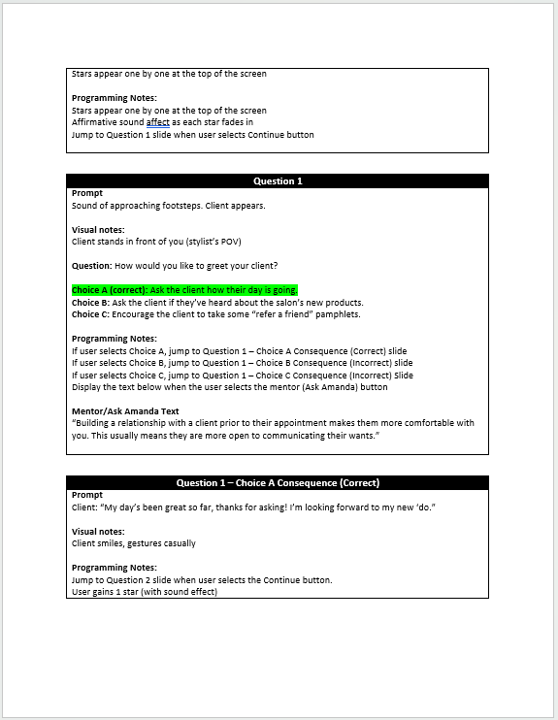
To avoid information overload, the learning experience focuses tightly on the high-priority tasks and behaviors from the action map and the representation of real-life scenarios. Another priority was including opportunities for learner feedback throughout the experience. Using branching scenarios, learners can select an action, experience the results of this action, and garner feedback from an animated mentor, a “Lead Stylist” named Amanda.
I utilized a mix of sound effects, text, and visual design to provide positive enforcement for correct decisions, keeping in mind to ensure students can receive this information in multiple modalities for accessibility purposes. (e.g., feedback is not color-dependent, so it can be seen by colorblind users; sound effects are supplemented by visuals for d/Deaf and hard of hearing users or users who are unable to use volume on their device).
Visual Mockups
Once I was confident that the storyboard laid out an engaging, learner-centered experience, I moved on to conceptualizing the visual design of the experience.
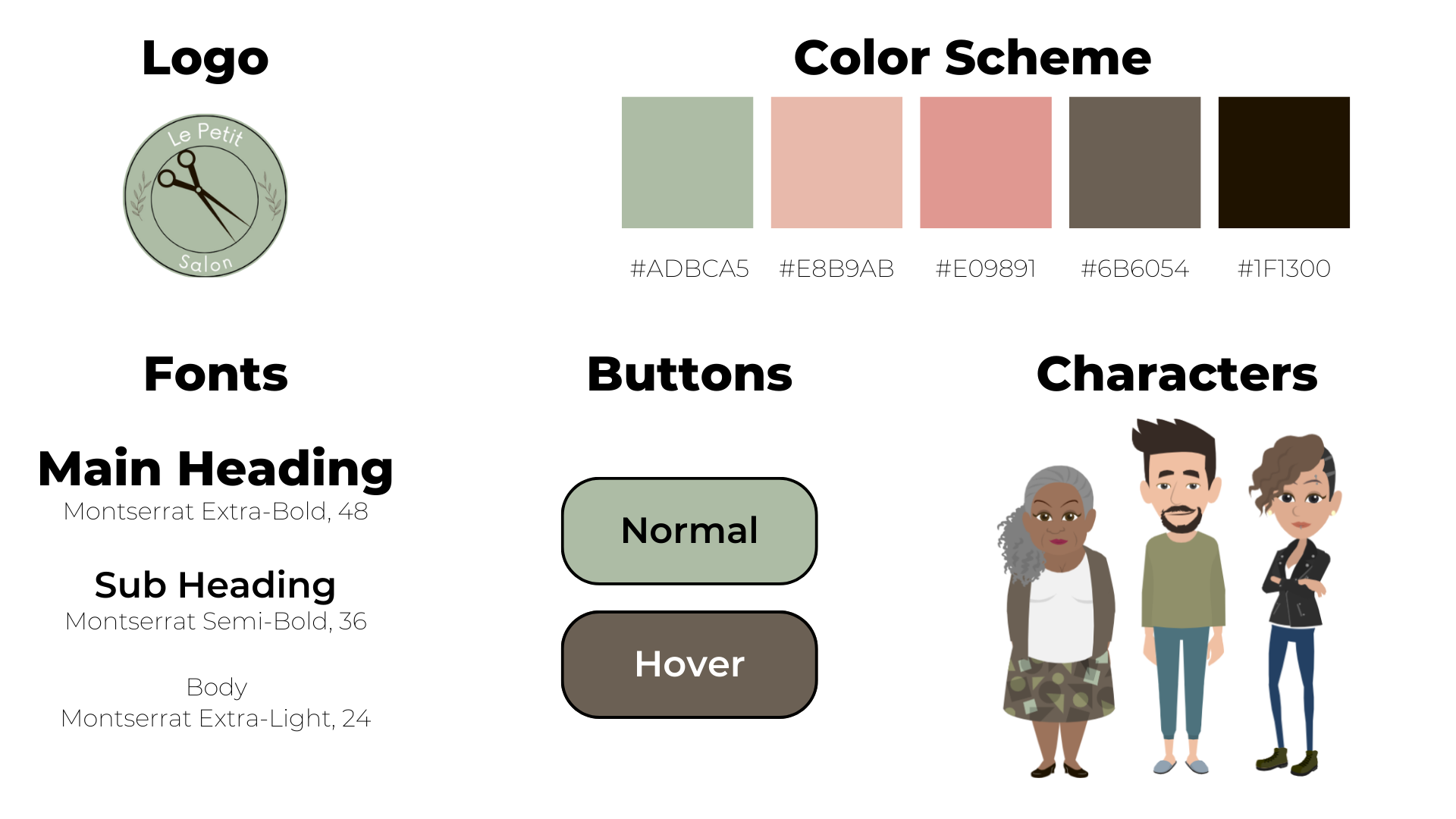
I created a style guide inspired by the Le Petit Salon logo to ensure a cohesive look throughout the learning materials. In my visual design, I focused on advancing the storytelling while keeping accessibility at the forefront. I tested foreground and background contrast for a minimum rating of WCAG AA using the WebAIM Contrast Checker and analyzed fonts, kerning, and word spacing for readability.
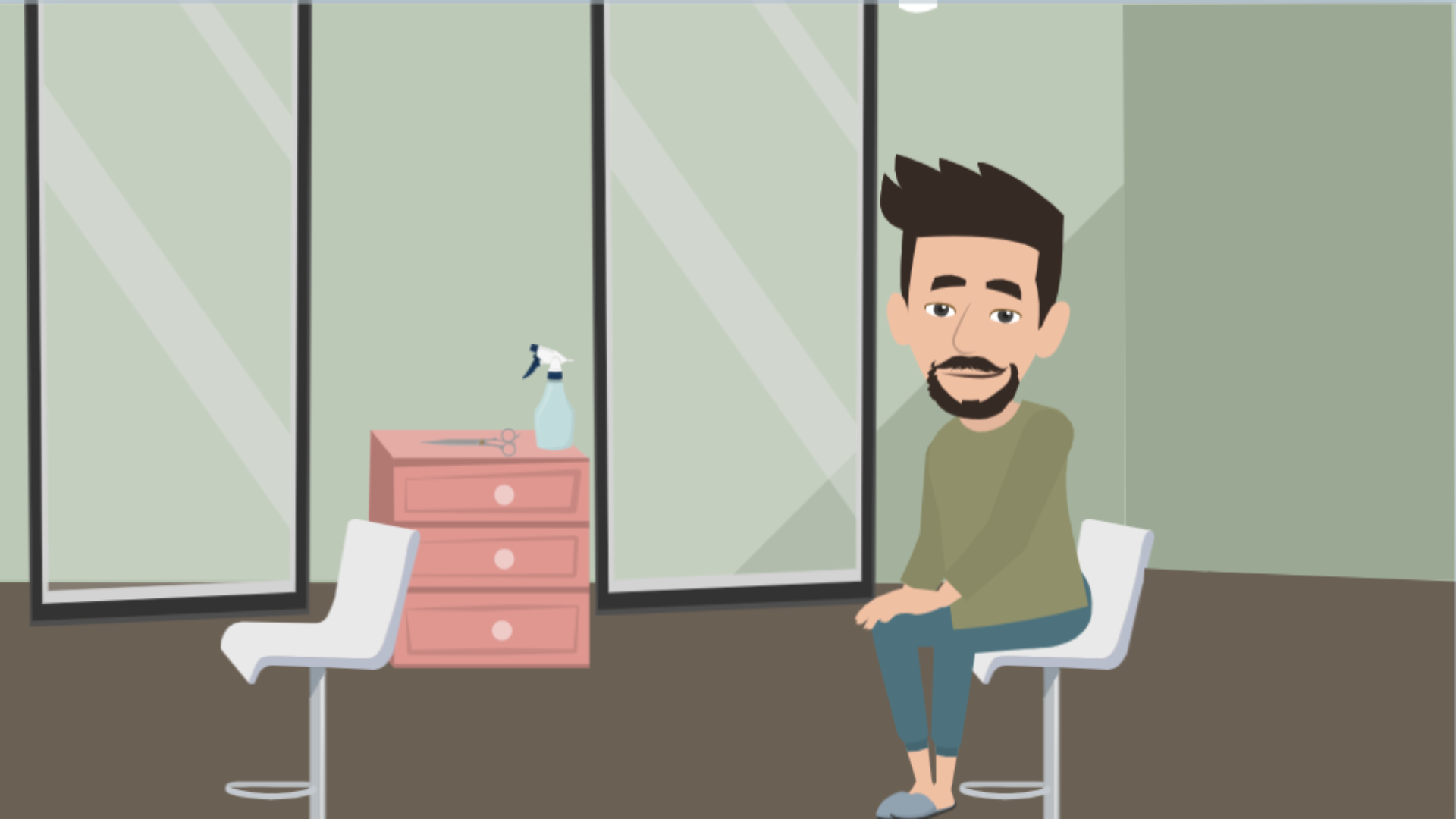
Utilizing the style guide, I created sample slides for various types of interactions, including a mentor slide, question slides, and correct/incorrect answer slides. I iterated on these until the visual and instructional information flowed together seamlessly.
Interactive Prototype
Although the visual mockups helped me see a clear vision for my design, the interactive prototype really brought the experience to life. Using Articulate Storyline 360, I developed a prototype to collect feedback on its functionality using Storyline’s review feature.
I included several slides up until the first scenario-based question. I added triggers, animations, sounds, and a success meter, keeping in mind the accessibility considerations discussed at the text-based storyboard step.
The interactive prototype revealed many features reviewers loved, but I also received feedback that helped make the experience more functional and immersive for the learner. For example, I added a sound check slide in the introduction to indicate to users that sound is available and allow them to adjust their volume accordingly.
Full Development
Once I was fully confident with the look and functionality of my prototype, I fleshed out the rest of the experience, incorporating user feedback and ensuring a cohesive experience from beginning to end. Management at Le Petit Salon has agreed to implement the program and work together to collect data on the effectiveness of the learning experience as well as learners’ attitudes towards and experiences with it. This data can then be analyzed to inform an iterative improvement process over time.
Below are some key highlights from the fully developed experience. If you haven’t already, be sure to experience the project yourself using the “Experience the Project” button at the bottom of the page!
Engaging Sound Effects
I included a variety of sound effects to make the experience more engaging for the learner, including the correct and incorrect answer sounds for each scenario and a sound each time the learner earns a star.
Built-in Guide
Amanda, the “Lead Stylist”, leads learners throughout the experience. She’s more than just a narrator, though - whenever the learner needs to make a choice, they can use the “Ask Amanda” button for tips. Plus, Amanda provides just-in-time feedback to learners as they move through each scenario.